April 2026
April 24, 2026
Browser-style tabs for multitasking
Keep multiple chats, meetings, journals, and routines open at the same time. Tabs appear at the top of your workspace and stay organized even after you close and reopen Littlebird. Open items in new tabs by Cmd+clicking (Ctrl+clicking on Windows) in the sidebar, or use Cmd+T (Ctrl+T) for a new tab and Cmd+W (Ctrl+W) to close one.
Connect 90+ integrations
You can now connect services like Zapier, Asana, Jira, monday.com, Notion, and dozens more directly from Settings > Integrations. Browse a curated catalog of popular tools, connect with one click, and toggle them on or off per chat. You can also add custom MCP servers manually if your tool isn't listed. Integrations now work in Routines too!
.png)
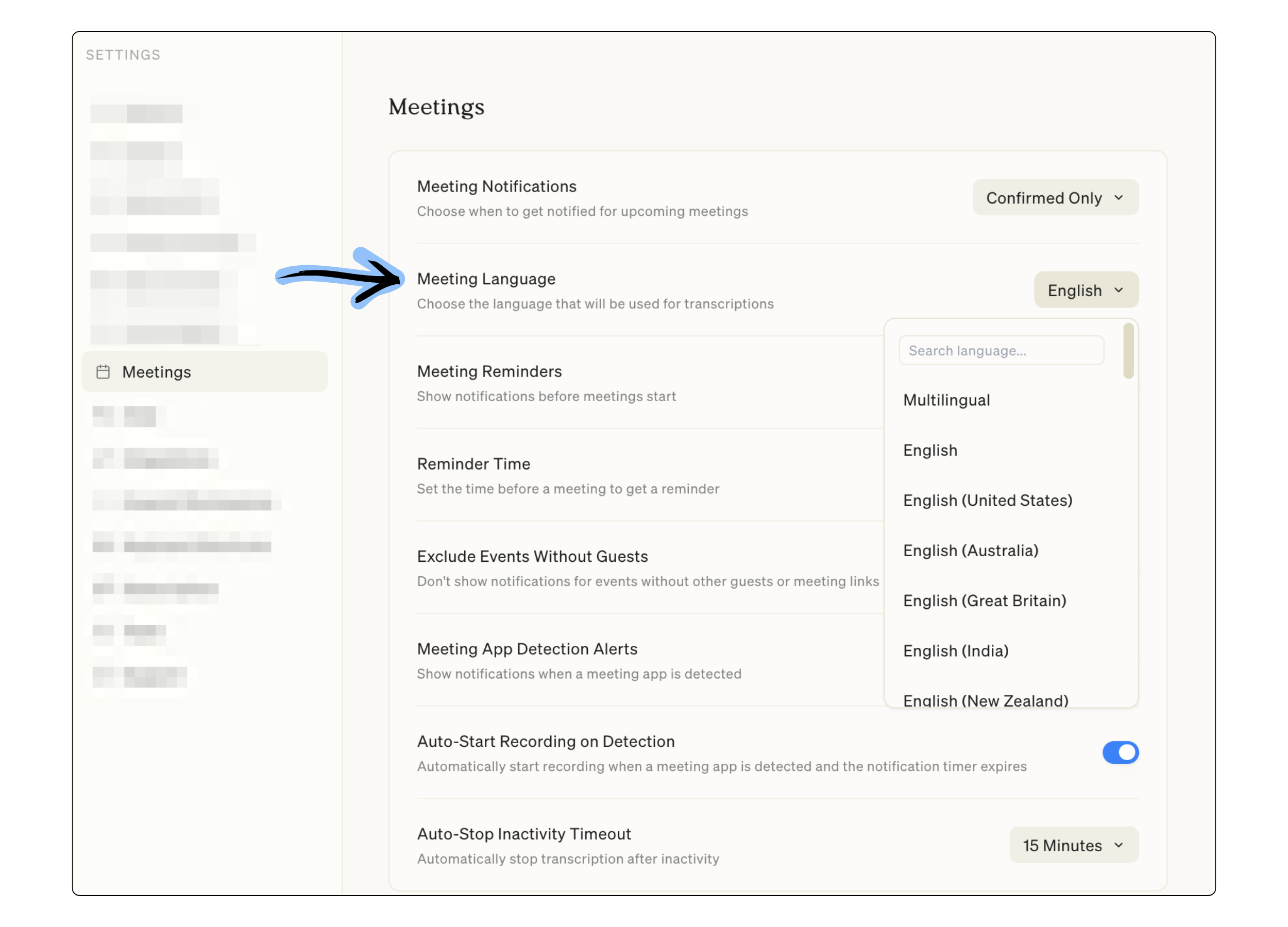
Choose your transcription language
Pick the language Littlebird uses when transcribing your meetings. Go to Settings > Meetings and select your preferred language (including a multilingual option).
See your meetings from the menu bar
Click the Littlebird icon in your menu bar to see your upcoming calendar events at a glance. Events are organized by time, and you can customize how far ahead to look. Open Settings > Meetings > Menu bar calendar to turn it on or off and adjust your preferences
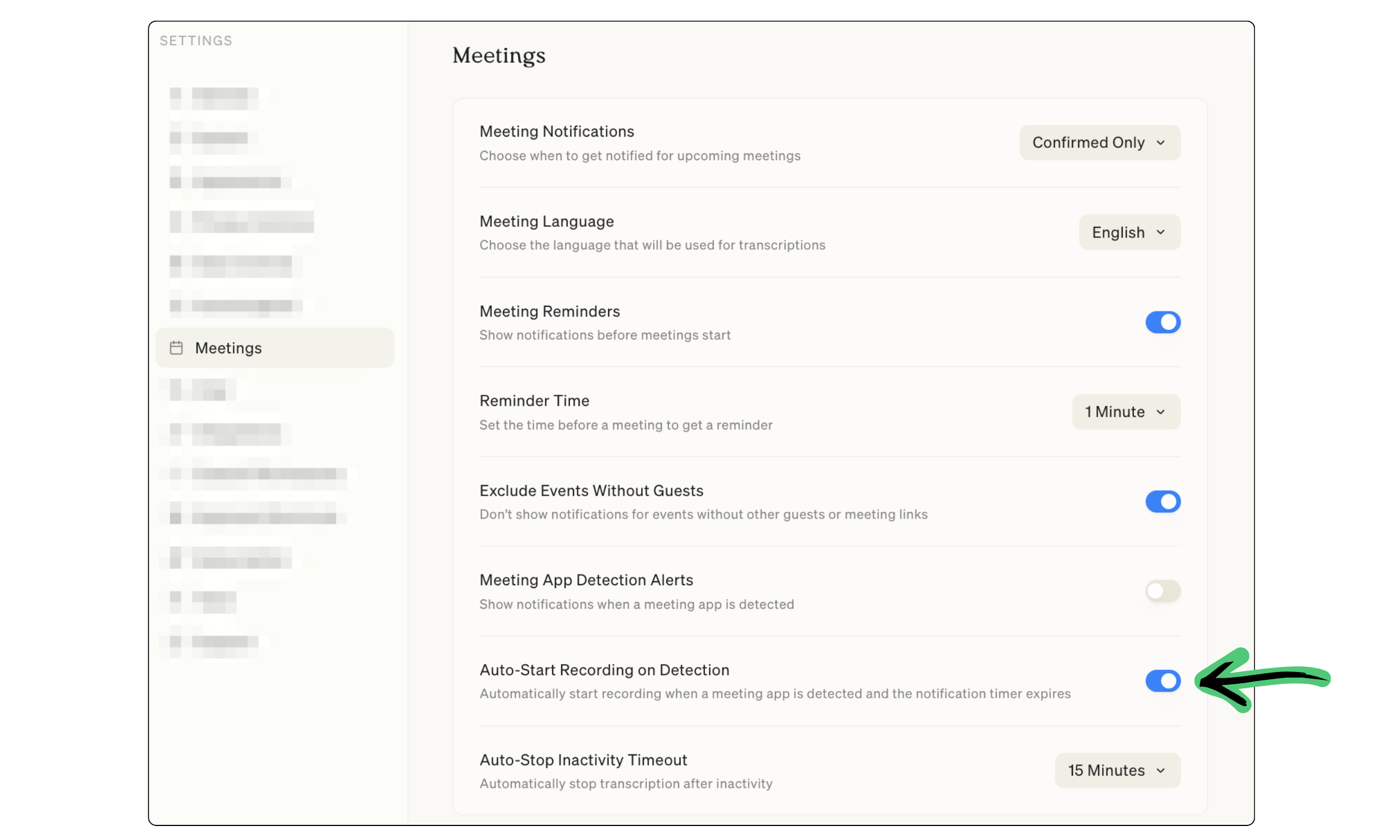
Auto-start meeting recordings
Littlebird can now begin recording automatically when it detects a meeting app like Google Meet or Zoom. A countdown notification lets you know exactly when recording will start, giving you a few seconds to cancel if needed. Enable it in Settings > Meetings.
Fixes and improvements
- Click images in chat to view them in a full-screen preview, and take photos directly from your camera on iOS and Android
- Added a "Require Cmd+Enter to Send" toggle (Ctrl+Enter on Windows) in Settings > Chat so pressing Enter adds a new line instead of sending
- Search for meetings and meeting notes directly from the command bar, and use Cmd+K (Ctrl+K on Windows) to jump to specific messages in any chat
- Meeting prep has a cleaner card layout, the mic picker loads faster, and Littlebird now detects when your microphone isn't working at the start of a meeting
- Notifications now appear on your active monitor, auto-dismiss after 5 seconds, and pause when you hover
- Chat messages stream more smoothly, chat rate limits have been increased for paid users, and chat titles appear instantly in the sidebar
- Meeting notes on mobile now render with proper formatting, and you can copy transcripts, summaries, and notes as markdown
- Signal is now excluded from context collection by default
- Improved detection around Banking and Finance exclusions
- Fixed private browsing detection for Zen Browser, Brave, and Microsoft Edge
- Redesigned Routines list with search, sort, and a consistent grid layout
- Improved integrations settings with a cleaner separation between connected apps and discovery
- Fixed various issues with meeting recording reliability, chat scrolling, command bar crashes, and tab navigation
Plus other updates to improve performance, stability, and overall experience across the app.







.svg)