Media Kit

Littlebird press & partner kit

Littlebird is an AI assistant that already knows your work, so you can draft, plan, and stay on top of everything without having to catch it up on context.

Approved boilerplate, messaging guidance, brand assets, and canonical links. Copy anything below as-is.
Littlebird app

About

About Littlebird

Third-person boilerplate for press and partners. Pick a length and copy it verbatim.

Short (~50 words)

Littlebird is a personal AI assistant that already knows your work. It runs on your computer, pays attention to the active window you are in, and transcribes your meetings -- building a private memory of what you have seen and done. Every answer, draft, and plan is grounded in your real work.

Medium (~120 words)

Littlebird is a personal AI assistant that already knows your work. Instead of starting from a blank chat box, it pays attention to the active window you are in and transcribes your meetings, building a private memory of your work that you can search, recall, and build on.

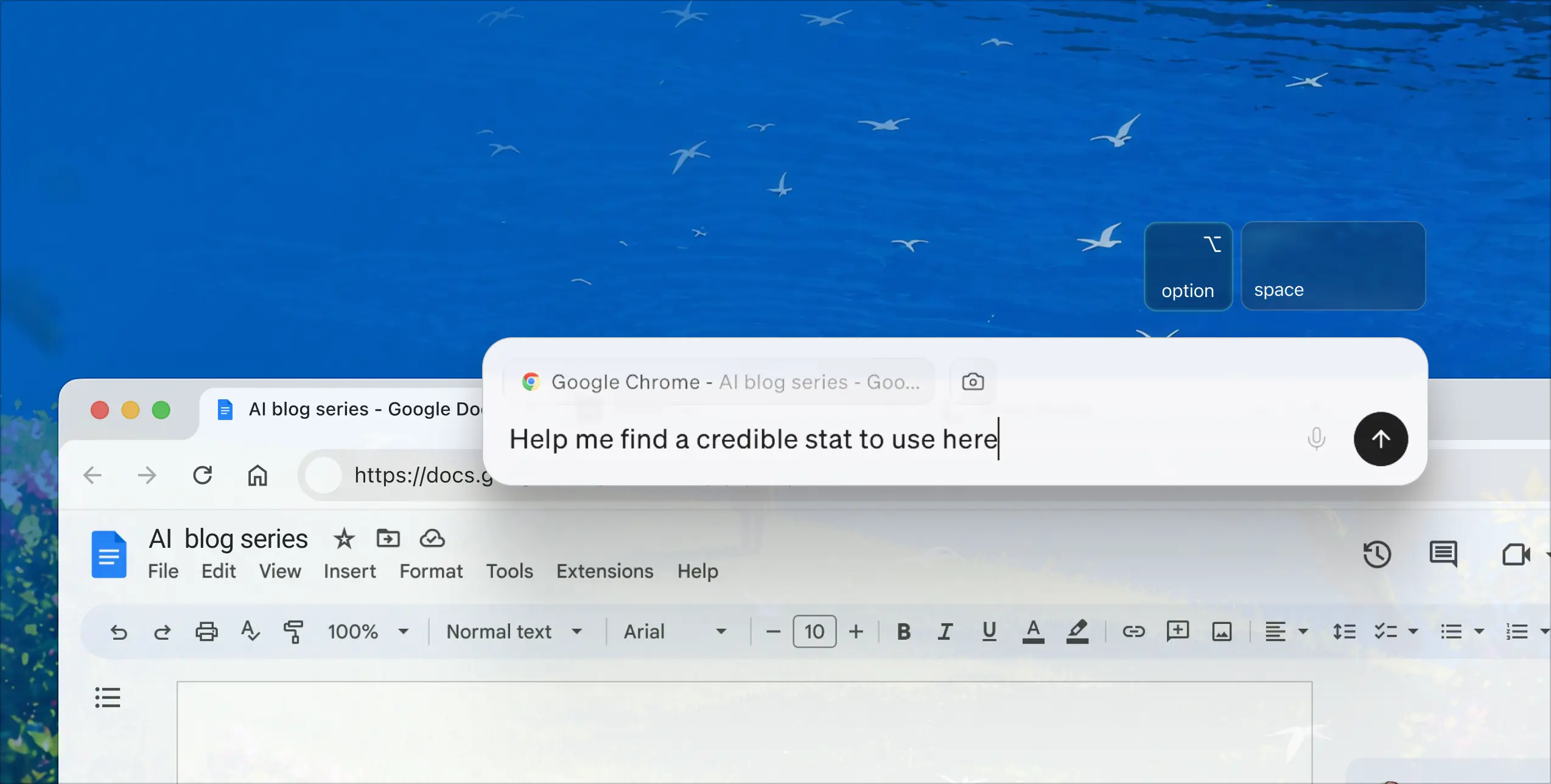
Littlebird does four things: Chat answers questions grounded in everything you have seen; Meeting Notes transcribe and summarize your calls with no bot joining; Routines deliver proactive updates on your schedule; and Hummingbird brings Littlebird over whatever app you are working in. It runs on Mac and Windows, with iOS and Android companion apps for asking questions away from your desk. The app runs on your computer, and the memory it builds is encrypted and stored in the AWS cloud.

Long (~250 words)

Littlebird is a personal AI assistant that already knows your work. For busy professionals who constantly context-switch across meetings, docs, and messages, it understands the work you are doing without you having to explain it. Unlike generic AI chatbots and single-purpose AI tools, Littlebird pays attention to your screen and your meetings to build a private memory of your work, so every answer, draft, and plan is grounded in what you are actually doing.

It works immediately, with zero setup, and gets more useful over time. Littlebird runs on your computer and pays attention to the active window you are in. During meetings it listens along to transcribe and summarize, and no bot joins the call. It can optionally connect to the apps you already use for deeper context and to take actions, but no integrations are required.

Littlebird does four things. Chat answers questions and creates content grounded in everything you have seen. Meeting Notes transcribe and summarize your conversations so you can stay present. Routines deliver proactive, personalized updates on your schedule. Hummingbird opens Littlebird over whatever you are working on so you can ask without breaking your flow. It runs on Mac and Windows, with iOS and Android companion apps.

On privacy: the app runs on your computer, and the memory it builds is encrypted and stored in the AWS cloud. Littlebird is SOC 2 certified, with GDPR-aligned and CCPA-aligned data handling. It never sells your data and never trains models on your data -- and neither do its AI providers. You can pause collection, exclude apps, and delete your data at any time. Littlebird raised an $11M seed round and launched on Product Hunt in March 2026.
Messaging

How to talk about Littlebird

Four features, exactly. Use these one-liners; please don't describe a fifth.

Chat

"Chat with everything you have seen."

Meeting Notes

"Focus on the conversation. The notes take care of themselves."

Routines

"Proactive insights, on your schedule."

Hummingbird

"Get answers without breaking your flow."

How to describe what Littlebird "sees"

Littlebird reads the text and elements of your active window via macOS accessibility permissions.
It pays attention to the active window you are in and reads the text on your screen (screenreading).
It is not a screen recorder and does not record video or take screenshots of your screen.
It is not a keylogger and does not log your keystrokes.
It is designed to ignore password fields; password managers are auto-excluded by default, and credit-card numbers and API keys are auto-redacted before storage.

Please don't go further than these (e.g. don't say it "never captures pixels" or "never sees incognito windows" -- those aren't confirmed).

Do / Don't

Do sayDon't sayWhy
"It reads the text on your screen" / "screenreading""It records / films / watches your screen"It is not a screen recorder.
"It is designed to ignore password fields""It never sees your passwords" (as an absolute)Approved phrasing is designed-to-ignore, not an absolute.
"Runs on your computer; the memory it builds is encrypted and stored in the AWS cloud""Local," "on-device," "offline," or "your data never leaves your machine"The memory is cloud-hosted on AWS; don't imply local storage.
"SOC 2 certified; GDPR-aligned and CCPA-aligned data handling""GDPR certified" or "HIPAA certified"Only SOC 2 is certified.
"HIPAA is available under a Business Associate Agreement""HIPAA compliant" (unconditional)HIPAA is conditional on a signed BAA plus in-app enablement.
"Four features: Chat, Meeting Notes, Routines, Hummingbird"Calling Glance, Projects, Assistant Notes, Command Bar, Daily Journal, Meeting Prep, or Quick Access a separate "feature"Exactly four features; the rest are surfaces or capabilities.
Attribute every stat ("in a Littlebird user survey, 2026..." or the named org)Presenting an internal survey number as an independent finding, or any unsourced statTwo-class stat rule.

Team

Founders

Littlebird raised an $11M seed round and launched on Product Hunt in March 2026.
Alap Shah

Alap Shah

Co-founder

Alap co-founded Littlebird and holds a BA in Economics from Harvard. He began his career as an analyst at Citadel, then co-founded Sentieo in 2011 and led it as CEO for nearly nine years until its acquisition by AlphaSense; he also co-founded Thistle and is a Managing Partner at Lotus Technology Management. He co-authored the widely covered Citrini paper on AI agents and the economy and writes on AI and markets.

Alexander Green

Alexander Green

Co-founder

Alexander co-founded Littlebird and is a physicist by training, with an honors BA/BS in Theoretical and Mathematical Physics from the University of Rochester. He was a founding investor and advisor at HUMAN, later acquired by Goldman Sachs, co-founded Mass.Build, and was the founding product manager at Flux.

"We started with a simple premise: what if your AI assistant was already in the room?"
Naman Shah

Naman Shah

Co-founder

Naman co-founded Littlebird and holds a BS in Computer Science and Biology from Stanford and an MBA from Harvard Business School. As co-founder and President of Sentieo, he scaled its engineering and operations across Delhi and New York to more than 200 people before the company was acquired by AlphaSense. He also co-founded Thistle and, earlier, Piramal Sarvajal.

Palette

Colors

Eggshell
Off White
Off Black
White
Midnight Blue
Emerald Green
Dark Emerald Green
Rose Quartz
Jordy Blue
Plum
Cyan Cornflower Blue
Red
Claret
Yellow

Assets

Product visuals

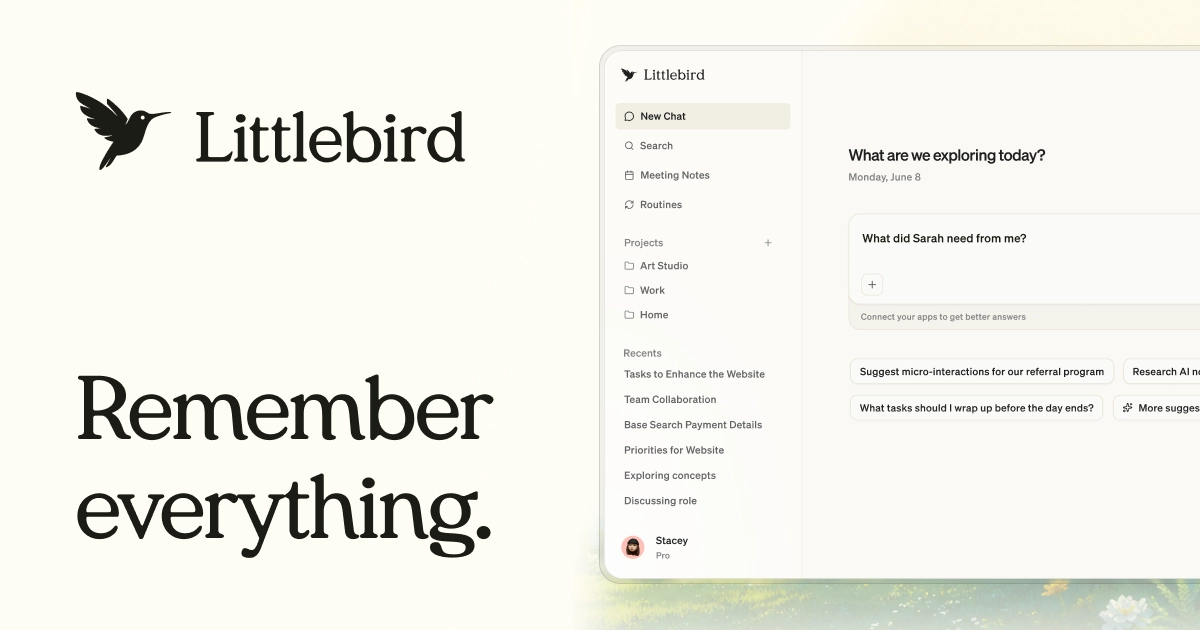
Littlebird branded banner
Branded banner (og.webp)
Todoist integration demo
Full screenshot & product-shot pack (.zip) -- coming soon.

Video

Videos

Product and demo clips.

Mobile

The companion apps

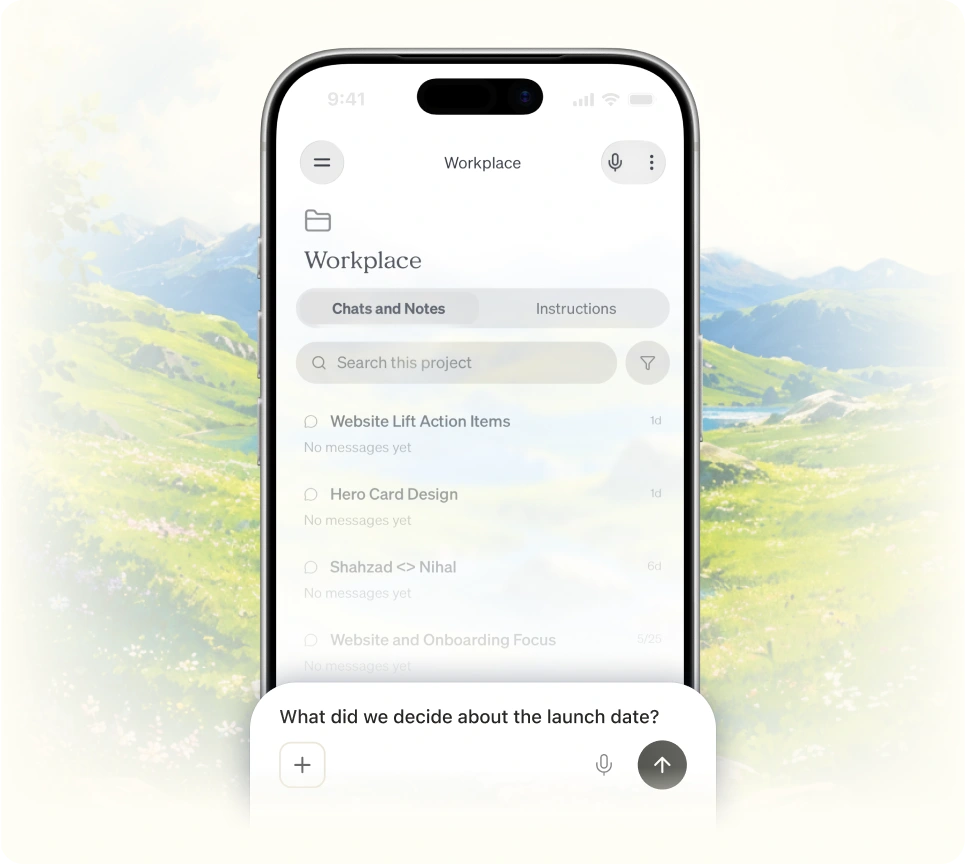
The desktop app is the core product. The iOS and Android apps are companions for asking questions away from your desk.

iOS

Does

  • Access the context Littlebird collected on your desktop
  • Ask questions and get answers away from your desk
  • Transcribe in-person meetings using the device mic

Doesn't

  • Capture your phone screen
  • Transcribe online meetings (no system audio on mobile -- that's desktop-only)
Download on the App Store

Android

Does

  • Access the context Littlebird collected on your desktop
  • Ask questions and get answers away from your desk

Doesn't

  • Capture your phone screen
  • Transcribe online meetings (desktop-only)
Get it on Google Play

Creators

How to post about Littlebird

Anatomy of a post

Use the structure, not your exact words -- we'd rather have 50 different posts than 50 identical ones.
1

"Every Friday I used to rebuild my whole week from memory..."

Open with a real cost or chore.

2

"I asked Littlebird to [specific ask] and it [specific, visible result]."

A specific ask and a specific, visible result.

3

"The point isn't the notes -- it's that I stopped re-explaining my work."

One clear point-of-view line.

4

[ screenshot / screen recording of real Littlebird output ]

Proof: a real screenshot or recording of actual output (blur anything sensitive).

5

"#ad, partnering with @littlebird."

Disclosure plus the @littlebird tag.

Sample scripts

LinkedIn -- [SAMPLE PENDING -- Umer/An]

[SAMPLE PENDING -- Umer/An] LinkedIn draft: open with the weekly chore, one specific ask and its visible result, a single point-of-view line, attach a real screenshot, close with #ad and @littlebird.

X -- [SAMPLE PENDING -- Umer/An]

[SAMPLE PENDING -- Umer/An] X draft: one-line chore, one-line ask + result, screenshot, #ad @littlebird. Keep it tight.

TikTok -- [SAMPLE PENDING -- Umer/An]

[SAMPLE PENDING -- Umer/An] TikTok script: hook on the chore, screen-record the specific ask and result, say the POV line to camera, disclose paid partnership on-screen and tag @littlebird.

Required disclosure

Required on every partner post.

  • LinkedIn: add #ad in the post copy.
  • X and Instagram: turn on the paid-partnership label and add #ad.
  • YouTube: enable the "paid promotion" setting and disclose it in-video.
  • TikTok: toggle Branded content / paid-partnership on.
  • Blur sensitive data in every screenshot.
  • Real output only -- no staged, mocked, or faked results.
Join the affiliate program

Words we use / words we skip

already knows your worknotrecords you
screenreading / reads the text on your screennotscreen recording
Chat, Meeting Notes, Routines, Hummingbirdthe only four feature names
skip the hype:revolutionary / seamless / game-changer

FAQ

Frequently asked questions

Getting started

Littlebird is a personal AI assistant that already knows your work. It pays attention to the active window you're in and transcribes your meetings to build a private, searchable memory, so its answers and drafts are grounded in what you're actually doing.

Install the desktop app for Mac or Windows and follow the setup prompts; on a Mac you grant an accessibility permission so it can read your active window. Leave it running while you work, then ask about something you recently saw. It works with zero setup and gets more useful over time.

No. Littlebird works automatically by paying attention to your screen. Integrations are optional, for deeper access -- for example, connect Google Calendar to help schedule meetings.

Privacy and security

Yes. Your data is encrypted at rest and in transit, Littlebird is SOC 2 certified, follows GDPR-aligned and CCPA-aligned data handling, and you can delete it anytime.

In the cloud on AWS (US East), encrypted. The app runs on your computer and you control what it sees.

No and no. Neither Littlebird nor its underlying AI providers train on your data, and it is never sold.

Pricing

Basic is free. Plus is $17 per month billed annually (or $20 monthly). Power is $42 per month with an annual subscription ($510 up front, or $50 monthly). Pro is from $100 per month. Team is from $17 per month per seat, and Enterprise is custom.

Plus adds advanced intelligence, unlimited meeting notes, and image generation. Power adds 2.5x Plus's usage credits, access to the MCP server, premium image generation, and priority support. Pro adds 5x or 12x Plus's credits, auto-detect language in meeting notes, and early access to new features.

Yes. Plus is $15 per month for actively enrolled students, with the first two months free; apply with a .edu email.

Features

Four: Chat answers questions grounded in everything you've seen; Meeting Notes transcribe and summarize your calls with no bot joining; Routines deliver proactive updates on your schedule; and Hummingbird lets you ask over whatever app you're in (Mac).

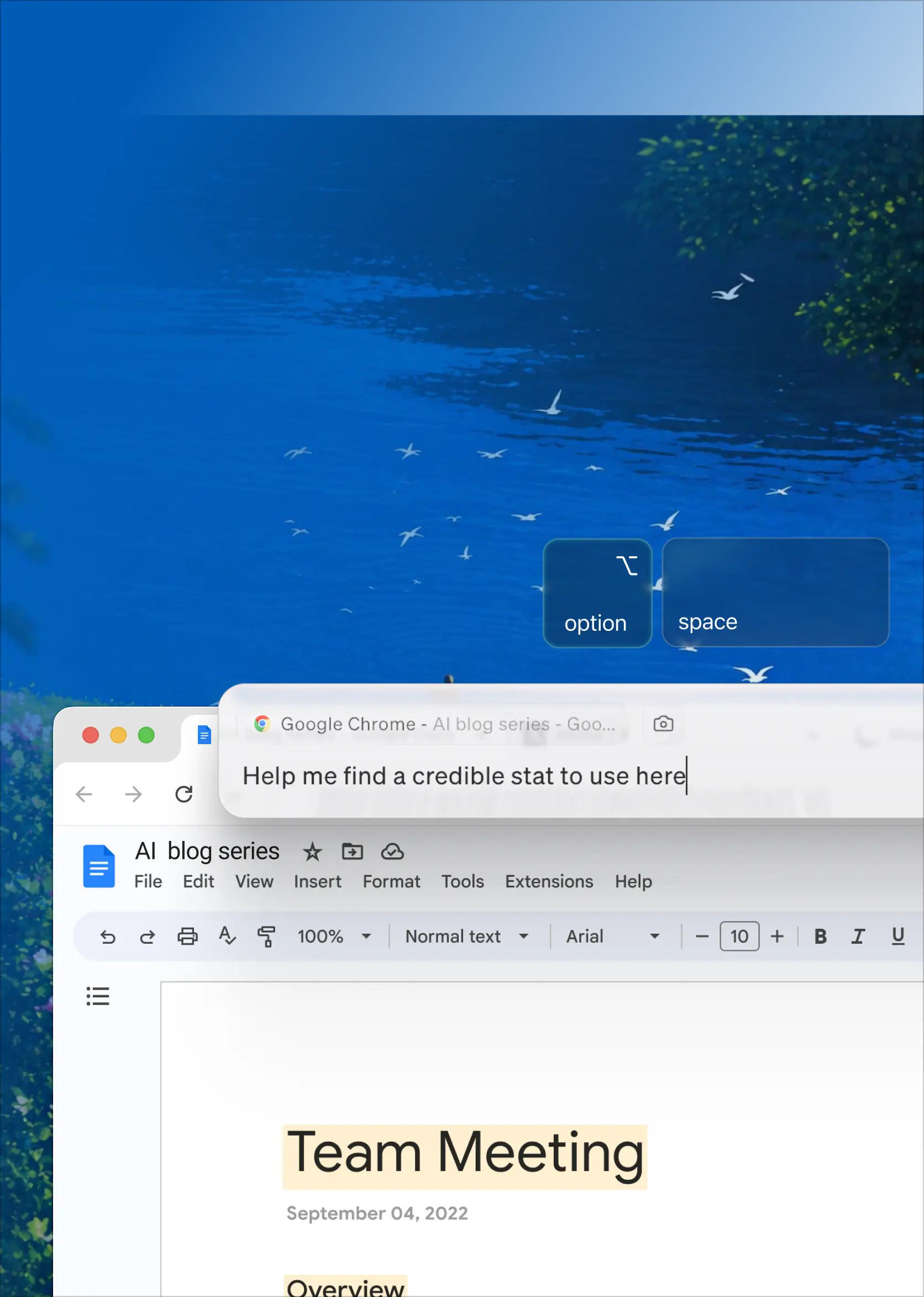
It pays attention to the active window (the doc, the site), listens during meetings, and can optionally connect email, calendar, and apps.

Mac and Windows on the desktop, plus iOS and Android companion apps for asking questions away from your desk.

Comparisons

General assistants have no context about your work -- you copy and paste to catch them up, which is slow. Littlebird already understands the work behind your request. Use ChatGPT when you need a capable model for general, one-off tasks.

Claude is powerful when you give it the right context; Littlebird builds that context for you automatically from your screen and meetings, and is proactive through Routines. Reach for Claude when you want a general model for research, writing, or coding.

Granola is a focused, bot-free meeting notetaker. Littlebird is also bot-free, but it connects your meetings to a running memory of everything else you see and do, then lets you act on it.

Company

Yes. Littlebird raised an $11M seed round and launched on Product Hunt in March 2026.

For busy professionals who constantly context-switch across meetings, docs, and messages, Littlebird is a personal AI assistant that already understands your work without you having to explain it -- it pays attention to your screen and meetings to build a private memory, so every answer, draft, and plan is grounded in what you're actually doing.

See the Trust Center at trust.littlebird.ai, join the community at littlebird.ai/discord, and read the docs at support.littlebird.ai/docs.