February 2026
February 27, 2026
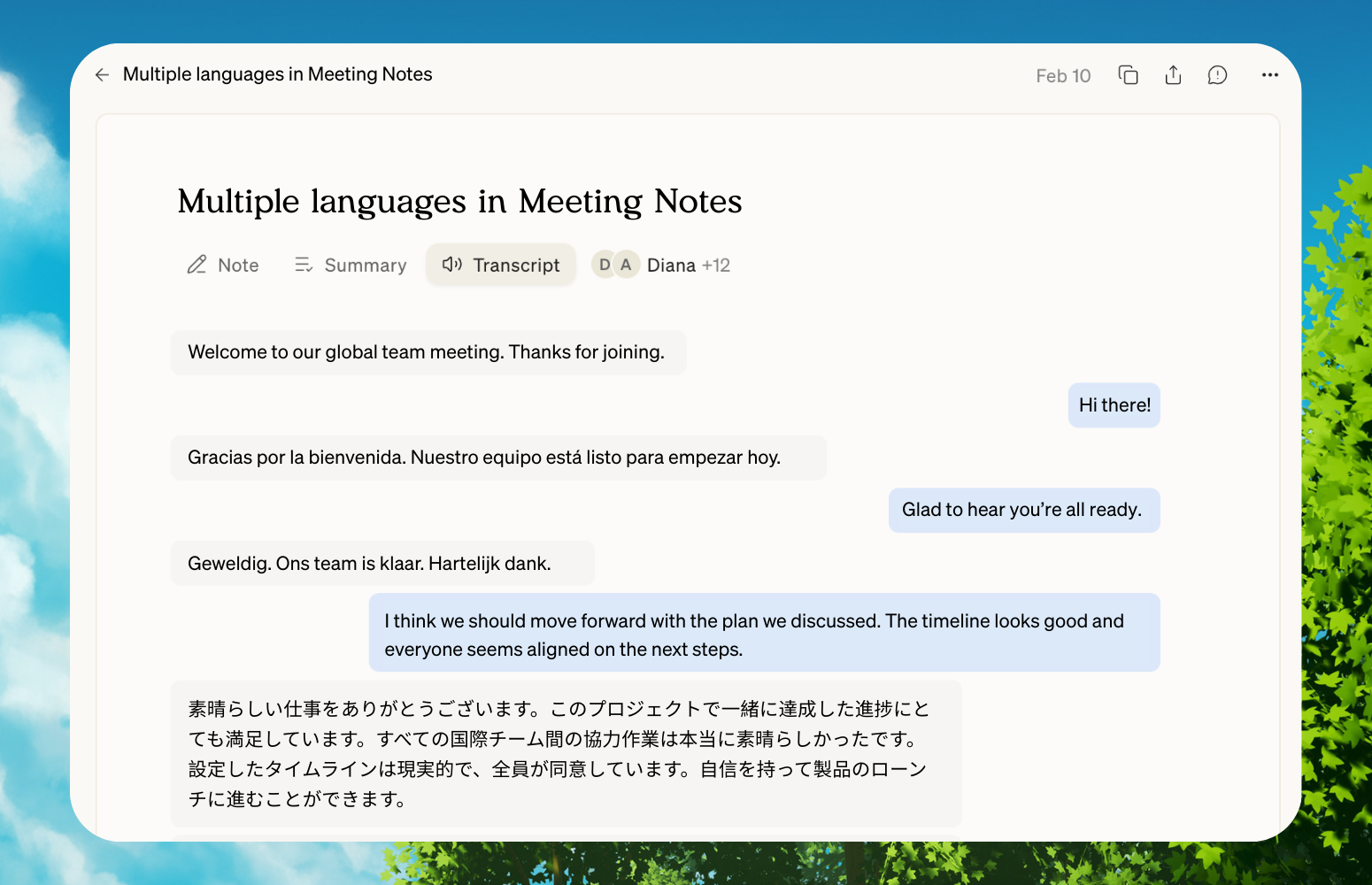
Meeting Notes now speaks 10 languages
When you join a call, Littlebird detects the language being spoken and transcribes it in real time. Currently supported languages include English, Spanish, French, German, Hindi, Russian, Portuguese, Japanese, Italian, and Dutch.
Hands-free meeting recording
Littlebird can now start recording automatically when it detects a meeting app. No more clicking to confirm—just join your call and your notes are already being captured.
We've also added support for Slack huddles as a meeting provider, so impromptu conversations get the same transcription and summary treatment as your scheduled calls.
To enable auto-recording, go to Settings>Meetings and toggle on "Auto-Record Meeting."
Connect to all your calendars
You can connect multiple Google Calendar accounts to Littlebird. When you ask about your schedule or need to find a slot, Littlebird looks across all your accounts, not just one.
We've also added support for Apple Calendar and Reminders on macOS, so Littlebird can pull context from your native calendar events and to-dos as well.
Head to Settings>Integrations to connect additional accounts.
Fixes and improvements
- Rename chat threads by clicking the title in the header
- Right-click any link to copy it or open it in your browser
- External links now show a confirmation screen so you can check the URL before opening
- Improved file attachments with better previews and an edit button for pasted text
- Refreshed integrations settings within the chat composer with a master toggle to connect or disconnect all integrations at once
- Better code display—inline code renders cleanly, and longer blocks now wrap instead of scrolling sideways
- Paste files from Finder directly into chat
- Fixed HEIC images from iOS devices not displaying in chat
- See Littlebird's step-by-step reasoning during AI responses with the new reasoning panel
- Faster responses for simple queries
- You can now revoke sharing on a chat to make it private again
- Improved meeting recording reliability, especially when switching between audio devices like Bluetooth headsets
- Meeting notifications now show provider icons for Teams, Meet, and Zoom, with easier access to join or open Littlebird
- Refreshed Meeting Notes interface with a cleaner layout, simplified transcript view, and automatic cleanup of empty meetings
- Upload images or capture screenshots directly in your meeting notes
- You can now select and delete multiple meeting notes at once
- Copying meeting notes and chat text now preserves formatting like bold and bullets
- Selectively enable or disable meeting app detection in Settings
- Proton Pass added to the list of automatically excluded password managers
- Cleaner subscription settings with better plan details and inline notifications for trial and payment status
- Smoother setup experience when granting accessibility permissions
- Various UI refinements across the app
Plus other updates to improve performance, stability, and overall experience across the app.







.svg)