January 2026
January 28, 2026
Meeting Notes is available to all users
Meeting Notes is now available to all users. Start a meeting from your web browser or desktop app, and Littlebird will transcribe your conversations so you can stay fully present. After each call, you'll get a clear summary with action items, and every meeting makes Littlebird's understanding of your work even smarter.
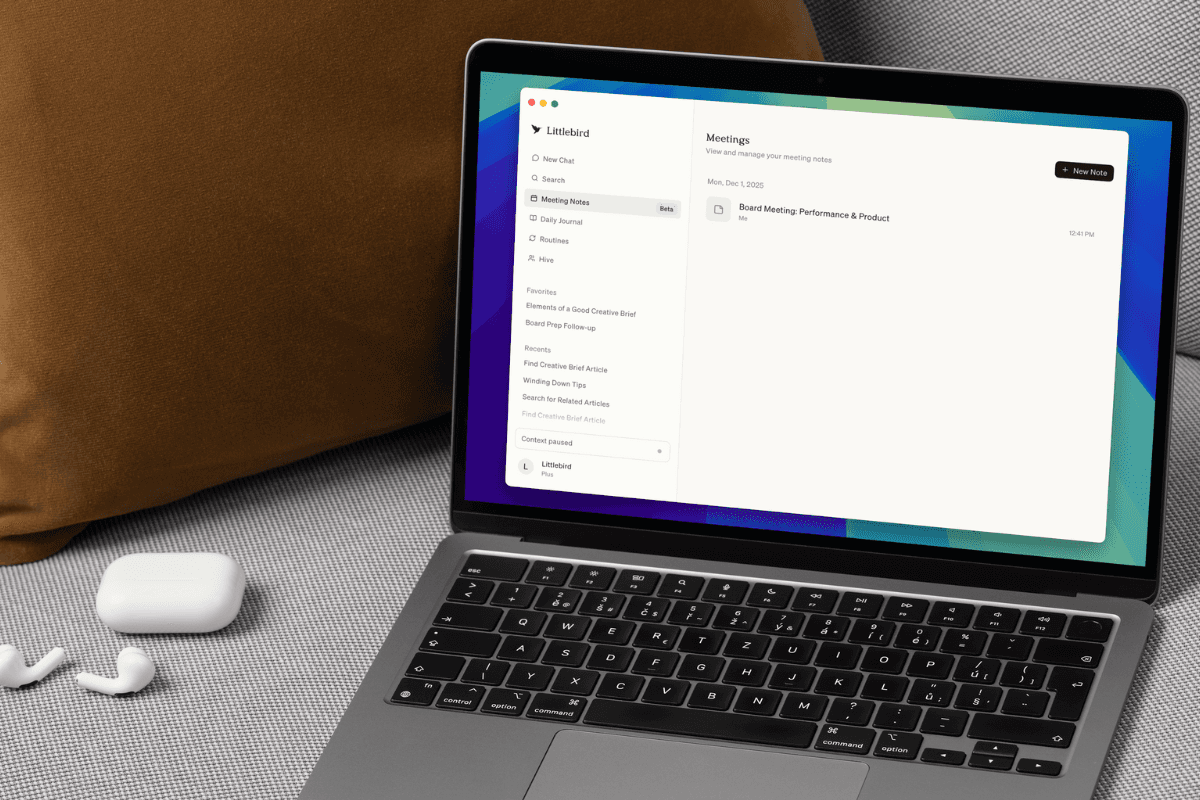
Meeting Notes is in open beta for all users, so we'd love your feedback as we continue improving it. If you run into any issues, simply click your name in the lower-left corner and select Give Feedback.
Choose your language for journal entries
You can now generate your Daily Journal entries in 12 different languages, including English, Chinese, Dutch, French, German, Hindi, Italian, Japanese, Korean, Portuguese, Russian, and Spanish.
To select your preferred language, click your name in the lower-left corner > Settings > Journal and choose from the language dropdown.
More control over what Littlebird sees
We've added even more ways to protect your privacy:
- Exclude entire website categories: In addition to blocking specific apps and domains, you can now exclude entire categories like Banking, Social Media, Shopping, Entertainment, and Health from context collection. Adult content is always excluded by default. Manage these settings in Settings > Context Collection
- Automatic password manager protection: Littlebird now automatically detects and excludes password manager extensions like 1Password, Bitwarden, and LastPass across Chrome, Safari, Arc, and Firefox, so no sensitive information from these tools is ever captured.
- Simplified privacy controls: We’ve reorganized privacy controls into two clear tabs—Exclude Apps and Exclude Websites—making it easier to manage what Littlebird sees
Refer friends and get two free months of Littlebird Plus
Share Littlebird with your friends through our new referral program! When they subscribe, you both get two free months. Click Get 2 Months Free in the sidebar to get started.

Discover keyboard shortcuts
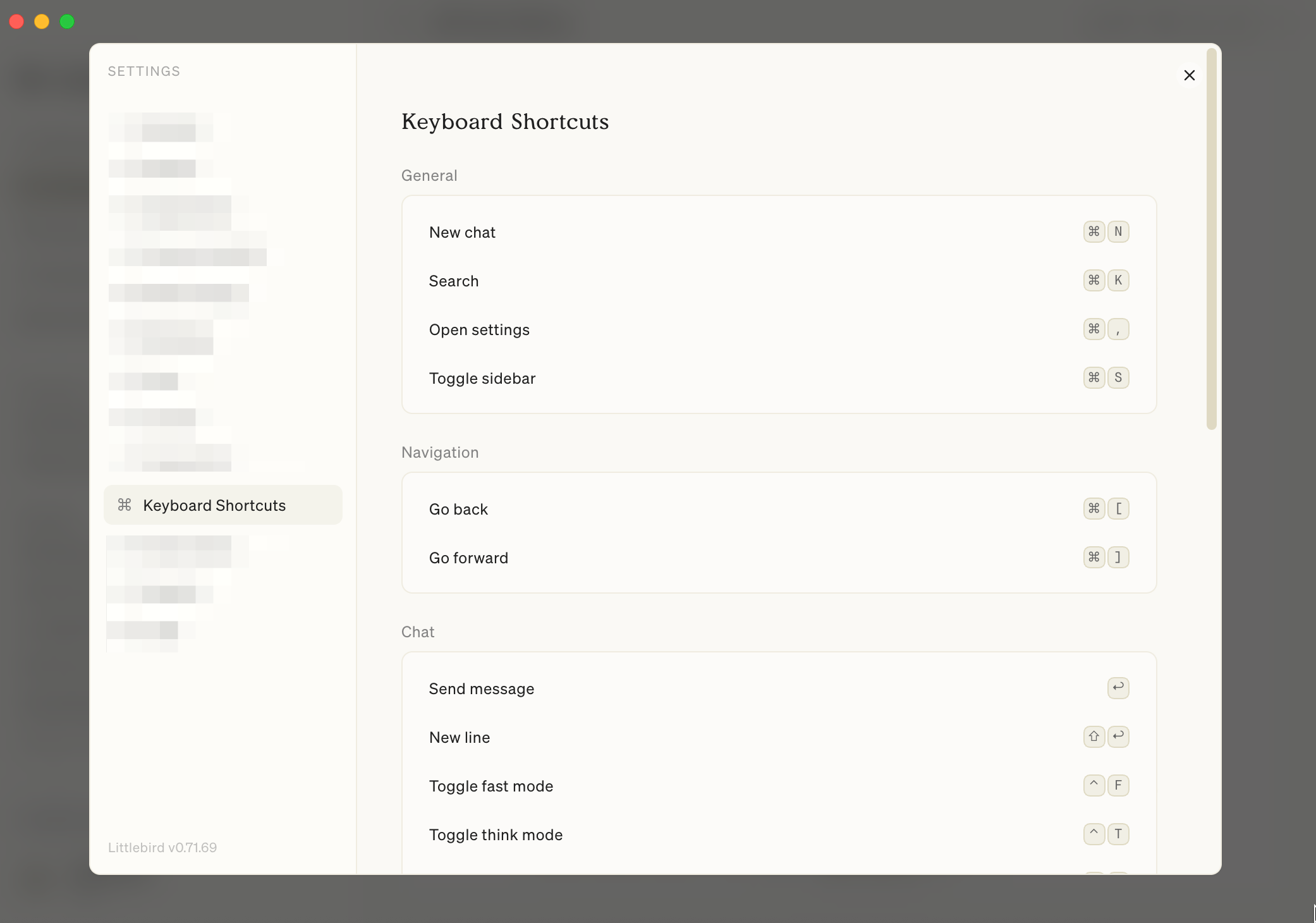
See all the ways you can navigate Littlebird more efficiently with keyboard shortcuts. Head to Settings > Keyboard Shortcuts to see shortcuts organized by category.
Fixes and improvements
- Customize how often you see the Weekly Progress section in your Daily Journal—always, never, or once per week on a specific day
- Quickly access settings from the menu bar—click the Littlebird icon in your menu bar and select Settings to jump straight to app preferences
- Use the slash command to quickly add and edit tables in your meeting notes
- Improved meeting recording experience with a clearer sidebar indicator, bottom control bar, and audio wave visualization, and you can now control whether you receive meeting detection notifications in Settings
- Improved meeting detection for Bluetooth headsets and non-default microphones
- Fixed an issue where live meeting transcripts would reset when navigating away and back
- Navigate long conversations faster with a new scrollbar that lets you click and jump to any section of your message history
- Improved the Routines Library, and you can now copy the generated text from a Routine to easily paste it into other apps
- Faster responses in fast mode—we’ve significantly improved performance for simple queries
- Streamlined onboarding with a redesigned setup flow and web login option for new users
- Improved voice transcription experience, making it easier to review and edit what you've dictated
- Improved how Littlebird understands content in Outlook Calendar
- Fixed Discord message time parsing
- Command + Q now hides the app window while keeping Littlebird running in the background
Plus other updates to improve performance, stability, and overall experience across the app.







.svg)